
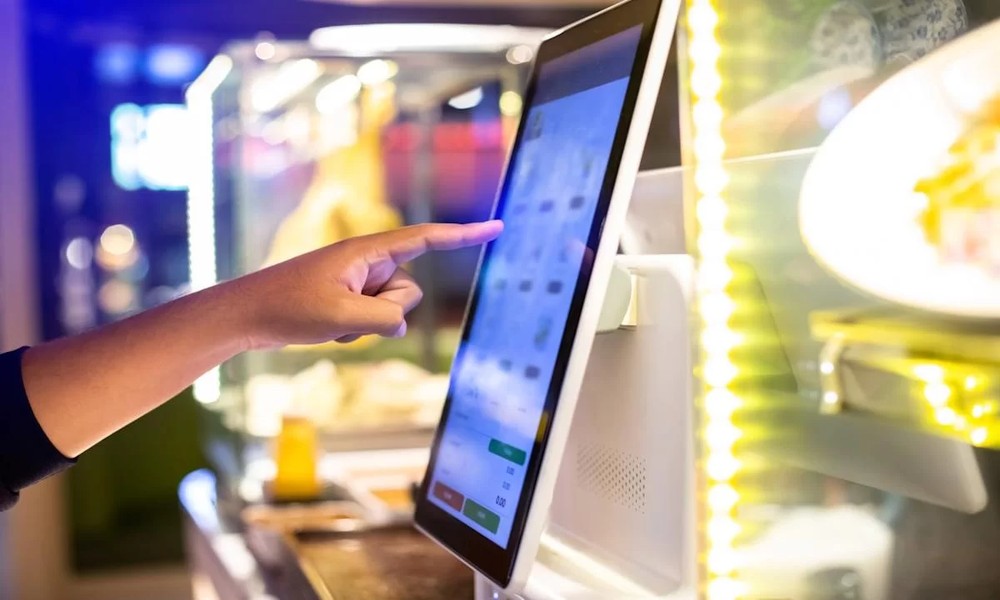
Walk into a hospital, shopping mall, or corporate office, and chances are you’ll spot a digital self-service station guiding visitors or displaying information. Businesses are gradually replacing manual assistance points with automated solutions that allow customers to interact directly with services. The growing use of the interactive kiosk reflects a shift toward faster service delivery and improved customer engagement.
Organizations across India are introducing these systems to reduce wait times, streamline communication, and simplify routine transactions. With customer expectations rising, technology-driven interfaces are becoming part of everyday business infrastructure.
Where Kiosks Are Used
Interactive kiosks are no longer limited to a single industry. Their adaptability makes them useful in a wide range of public and private environments.
Common locations where kiosks are widely used:
- Shopping malls for directory navigation
- Hospitals for patient registration
- Airports and railway stations for ticketing
- Corporate offices for visitor check-in
- Educational institutions for information access
- Restaurants for self-ordering systems
Many businesses prefer touch screen kiosks because they simplify interaction. Users can complete tasks without assistance, reducing pressure on staff during peak hours.
Self-service solutions also help organizations manage crowds more efficiently. Instead of forming long queues at service counters, customers can access information directly from the kiosk interface.
Why Touch Screens Improve User Experience
Traditional digital displays provided information, but required staff support for most operations. Modern touch screen kiosk systems change this dynamic by allowing users to interact directly with the interface.
Touch-based technology improves accessibility for people across age groups and skill levels. Even first-time users can navigate menus easily with minimal guidance.
Advantages that make touch screens effective:
- Quick response to user input
- Clear visual instructions on display
- Reduced dependency on manual staff
- Faster service completion times
- Improved customer satisfaction
Businesses installing touch screen kiosks often report smoother workflow management, especially in locations that receive heavy daily foot traffic.
Ease of use also encourages repeat engagement. Customers who find the interface simple are more likely to rely on kiosks for future interactions.
Selecting Reliable Manufacturers
Technology performance depends heavily on build quality and reliability. Choosing experienced kiosk manufacturers in India helps ensure the equipment remains functional even under frequent usage.
Not all kiosks are built the same. Some environments require heavy-duty units, while others focus on sleek designs for customer-facing areas.
Factors businesses usually consider when selecting kiosk manufacturers:
- Hardware durability Strong materials support long-term daily usage.
- Customization capability Flexible designs allow industry-specific features.
- Display clarity High-resolution screens improve readability.
- Technical support availability Quick service helps minimize downtime.
Organizations working with established touch screen kiosk manufacturers in India often benefit from better product consistency and reliable after-installation support.
Quality manufacturing also reduces maintenance frequency, saving operational costs over time.
Understanding Cost Influences
Pricing is often one of the first considerations when planning kiosk installation. The touch screen kiosk price varies depending on several technical and design factors.
Rather than focusing only on base cost, businesses often review the total value delivered by the system.
| Cost Factor | Impact on Pricing |
| Screen Size | Larger displays increase cost |
| Hardware Components | Advanced processors raise pricing |
| Software Integration | Custom software adds expense |
| Design Customization | Unique builds cost more |
| Installation Requirements | Complex setups increase charges |
Understanding these elements helps organizations estimate realistic budgets before finalizing purchase decisions.
Businesses that compare multiple kiosk manufacturers often gain better clarity about available configurations and long-term cost expectations.
Designing Kiosks for Long-Term Use
Durability plays a major role in ensuring kiosks continue functioning efficiently over time. Units installed in public spaces must withstand frequent use and occasional mishandling.
Planning ahead helps avoid repeated replacements or costly repairs.
Design elements that support long-term performance:
- Scratch-resistant display surfaces
- Ventilation systems to prevent overheating
- Stable base structures to avoid tipping
- User-friendly interfaces for quick navigation
- Secure mounting options for public areas
Organizations that invest time in design planning often experience fewer operational interruptions later.
Another important consideration is adaptability. Businesses frequently update software or services, so kiosks should support upgrades without requiring complete hardware replacement.
Building Smarter Customer Touchpoints
Customer interaction methods continue to evolve as businesses look for faster ways to deliver information and services. A well-designed interactive kiosk helps reduce waiting time, improves accessibility, and supports efficient service flow in high-traffic environments. As companies modernize their customer-facing infrastructure, combining kiosk-based systems with supporting technologies such as digital sign boards can create unified communication channels that improve visibility, engagement, and overall customer experience across multiple industries.